ES
ES
 FR
FR
 IT
IT
 FI
FI
Our proprietary dimensioning software is essential for the Parcelcube dimensioning system. It comes free of charge with the Parcelcube hardware and is easy to install and use with our products.

Our proprietary dimensioning software is essential for the Parcelcube dimensioning system. It comes free of charge with the Parcelcube hardware and is easy to install and use with our products.

The Parcelcube software is easy to set up and configure, enabling data exchange with your WMS. With 7 user-defined fields, you can add all necessary product information simultaneously, eliminating the need to switch between software or add data later.
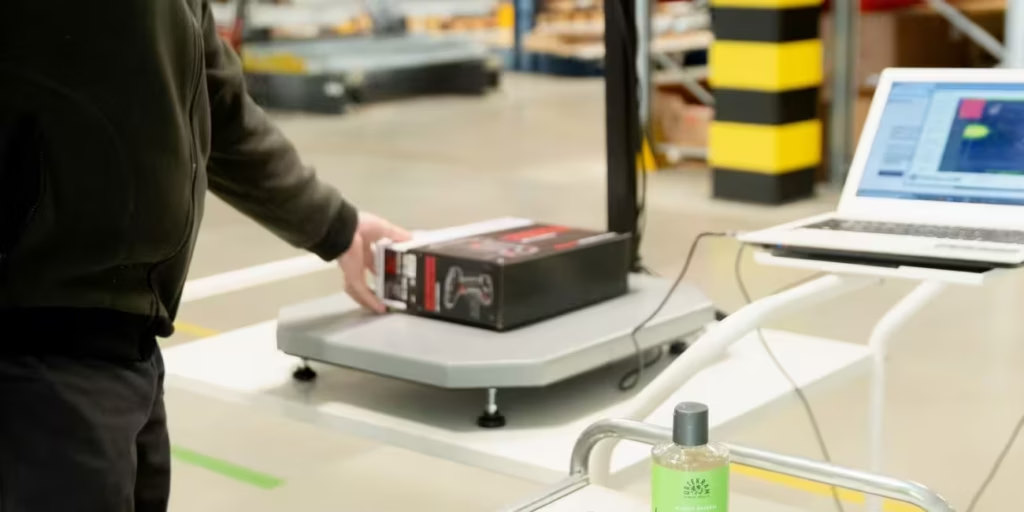
The data, provided in CSV or Excel files, can be processed later as needed. However, this method involves manual tasks, such as copy-pasting, which may introduce human errors.

For example, if you run a small webshop and need to register the weight and dimensions of a parcel in a web-based service provided by your shipping company, our software can speed up the process. The ability to configure fields using different button combinations might sound simple, but sometimes simplicity is exactly what you need.
Download the manual and the software for your Parcelcube model below.


Watch the 3:27 min walkthrough to set up your Parcelcube 1000 device.

There are two methods:
Copy the code below to implement data pulling via Webservice from the ParcelCube client.
Example c# code:
—————————————————————————————————————————
Dim request As HttpWebRequest =
CType(WebRequest.Create(“http://192.168.43.37:8080/”), HttpWebRequest)
// IP and port should be the one in the parcelcube config
Dim response As HttpWebResponse = CType(request.GetResponse(), HttpWebResponse)
‘ Get the stream associated with the response.
Dim receiveStream As Stream = response.GetResponseStream()
‘ Pipes the stream to a higher level stream reader with the required encoding format.
Dim readStream As New StreamReader(receiveStream, Encoding.UTF8)
‘MsgBox(readStream.ReadToEnd())
Dim parcelcube_string() As String
Try
parcelcube_string = readStream.ReadToEnd().Split(“;”)
Catch
End Try
item_lenght_txtbox.Text = parcelcube_string(0)
item_width_txtbox.Text = parcelcube_string(1)
item_height_txtbox.Text = parcelcube_string(2)
item_weight_txtbox.Text = parcelcube_string(4)
response.Close()
readStream.Close()
—————————————————————————————————————————
parcelcube_string() has all the data, even though this example only uses 4 values. If you want the calculated volume parcelcube_string(3) will hold it.
Configure ParcelCube client Web Service
In the ParcelCube client software configuration screen fill in the following fields:
1 Bind to IP Address – This is the IP address of the PC that is running the ParcelCube client software (127.0.0.1 may be used for testing locally on the PC).
2 Bind to Port – Enter the port number.
* Note – If you have problems connecting, verify that the port entered is allowed in your firewall
Test Connectivity
To test connectivity on your network PC. With the ParcelCube client software running, enter http://192.168.10.80:8080 (substitute your IP and Port) using either Microsoft Internet Explorer or Mozilla Firefox on a network PC.
In order to utilize the Remote Webservice URI for pushing data from the ParcelCube client to your host application, a web service must be developed and running on your server, with a variable (e.g., named data) ready to receive the incoming data.
Example:
The web server that is running your web service has an ip address of 192.168.10.20 and uses port 9090.
Your web service name is pcdata and contains a variable that is expecting an http: get. The uri that you would put into the Remote Webservice uri in the ParcelCube client would be as follows:
http://192.168.10.20:9090/pcdata?data
ip address port webservice?variable
Configure ParcelCube client
In the ParcelCube client software configuration screen, fill in the following field:
• Remote Webservice uri
Usage
Once your web service is in place and the Remote Webservice URI is configured in the ParcelCube client, simply click the Register (Enter) button in the ParcelCube client software. The data will then be sent and retrieved by your web service in the defined format.
Example of data returned to your web service:
http://192.168.10.20:9090/pcdata?data=12;8.6;6.5;0.388194;1.5;4.041; ; ; ; ; ; ;12;8.6;6.5
Item stacking allows you to measure multiple small objects that are smaller than the minimum size allowed by stacking them. For example, if you have 200 business cards:
If an object is too large for the scale, you can still register its data:
F9 configuration allows you to set up the scale software to emulate keyboard input of volume and weight data into any application. For instance, if you want to save measurements into an Excel file with columns for Length, Width, Height, and Weight:
Length Width Height Weight
23 41 12 0.77
43 23 12 1.33
To perform auto-calibration:
To view the CSV data:
CSV File Format:
Each field ends with a semicolon except the last field, which ends with a CRLF (Carriage Return Line Feed).